FBX Retargeting
The FBX Retargeter is a powerful tool that let's you use any kind of Shape Key action on any kind of target object. Usually, when two characters have unmatching Shape Key names, you won't be able to play the animation on both. The retargeter replaces the source with the target names in the fcurve data paths.
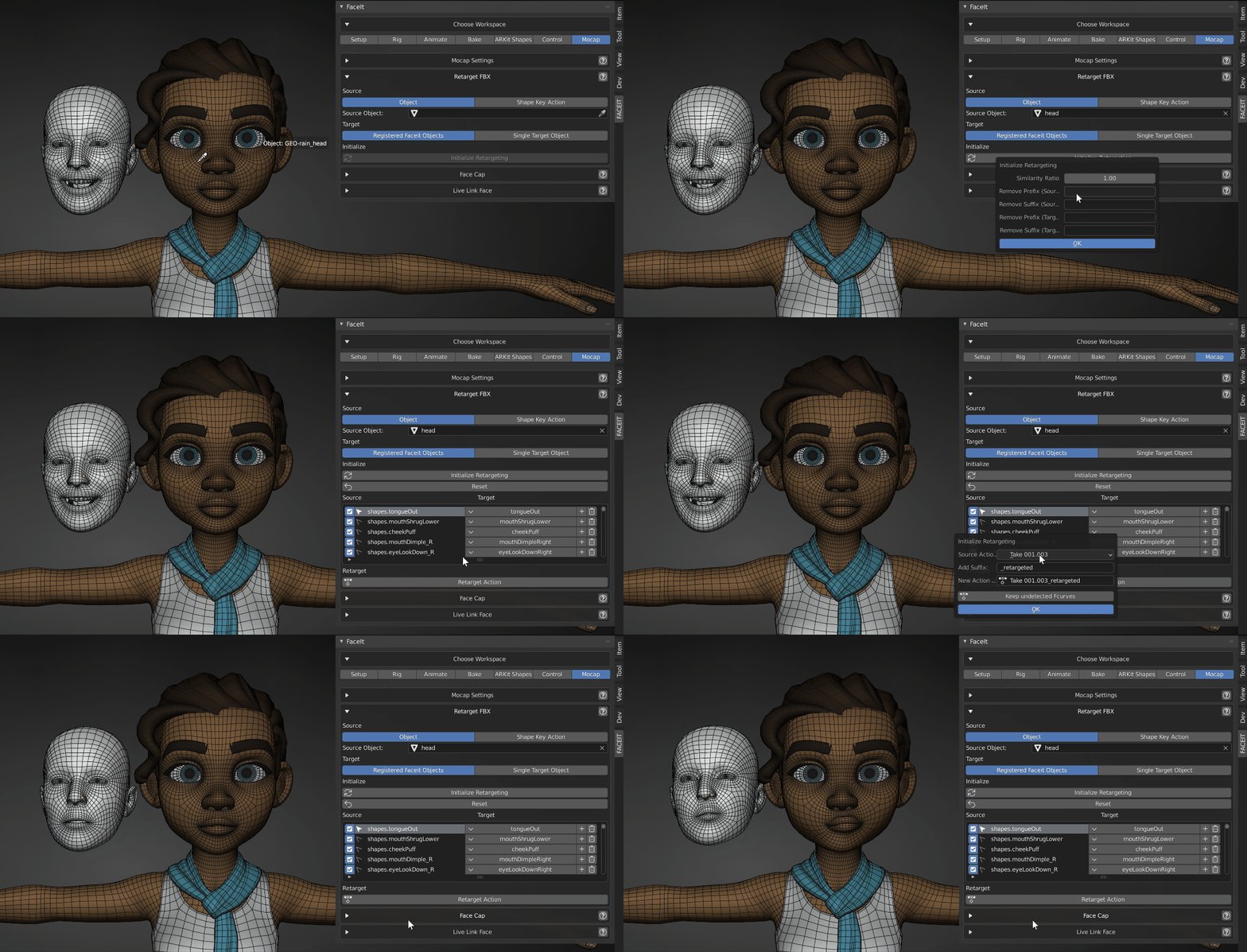
Retarget any kind of Shape Key Action to other objects with shape keys!
- Step-by-Step
- Choose Source
- Choose Target
- Create Mapping
- Retarget Actions
Source
Choose either a Source Action or an animated Source Object with shape keys.
Target
Choose the target shape keys. You can either use all registered objects or a specific object with shape keys.
Initialize List
Auto Matching
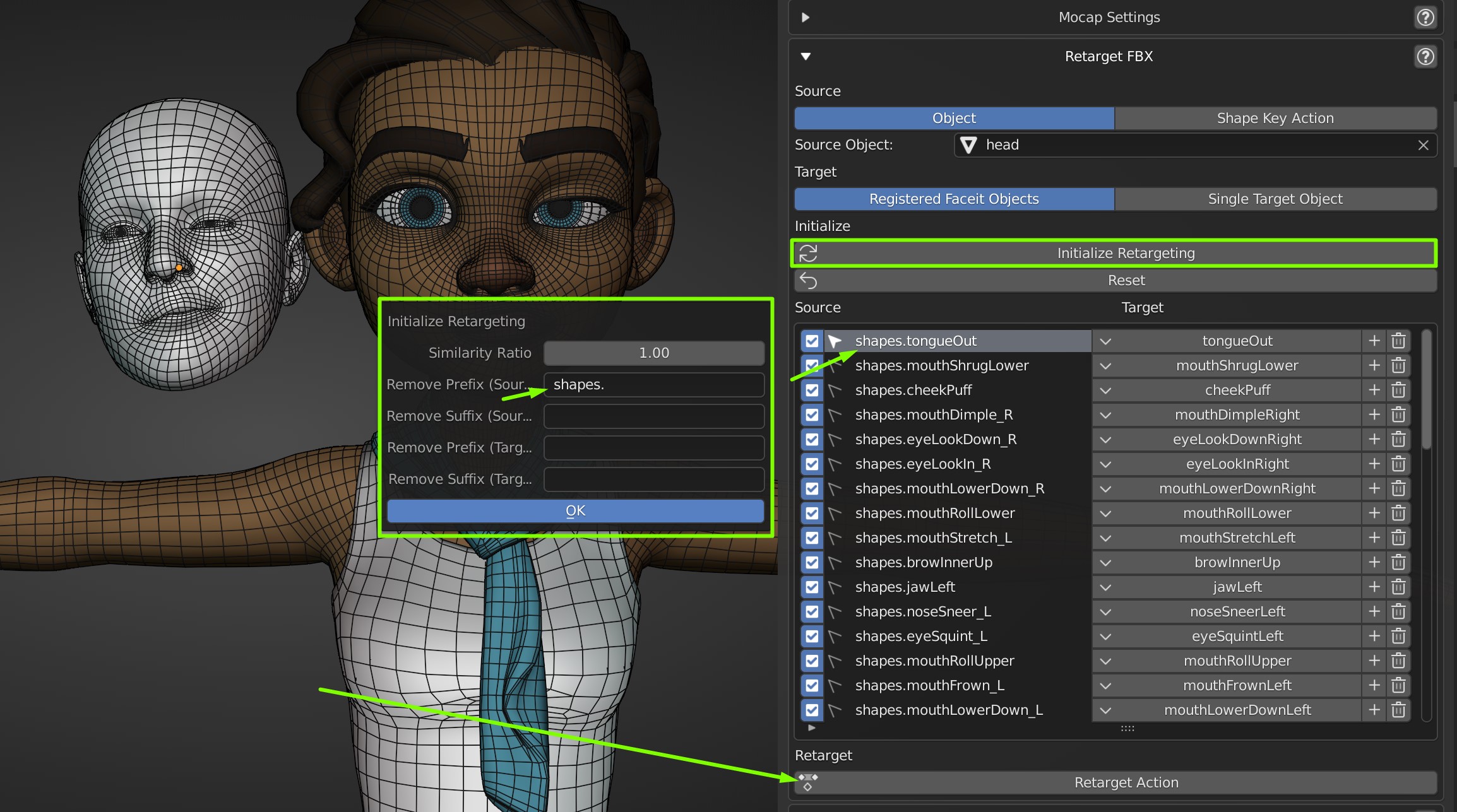 Remove Prefixes or Suffixes from the Shape Key names for a quick automatic match.
Retarget Action
Finally an Action can be retargeted based on the Retargeting List initialized earlier. The operator will attempt to find the Shape Key data paths in the specified Source Action and replace the names with the Target Shapes specified.
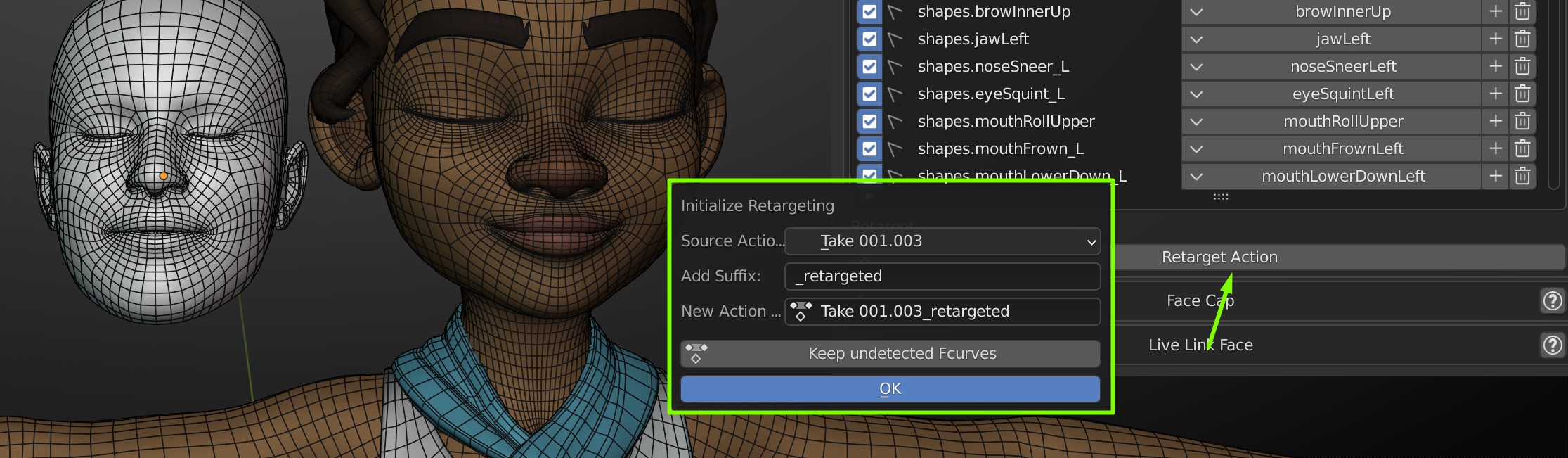 Retarget an Action based on the retargeting list.
Options (Retarget Action)
- Source Action
- Choose an Action from the Source Action Dropdown.
- All Shape Key Actions in the .blend file will be available.
- You shouldn't choose Actions for different objects, as they can't be processed based on the initialized retargeting list.
- Bake to Control Rig
- if the target shapes contains arkit names, the action can be baked to the active control rig.
- Add Suffix
- Add a Suffix to the new Actions name.
- New Action Name
- The final name of the new action. Can also be overwritten.
- Keep Undetected FCurves
- Keep Animation Fcurves, that can't be found in the target shapes.